
How to Search Leon County Court Records
Leon County court records are searched through the Clerk of the Circuit Court and Comptroller's online services. The clerk offers two routes. One searches by party name. The other searches by exact case number. Both reach circuit and county court cases, and most dockets are free to view. Registered Secure Web users can reach more sensitive case types, such as family law, guardianship, and probate images, when those images exist.
Start with the right facts in hand. A case number gives the cleanest result, so use it first when you have one. By name, you need at least a last name, and a court type or date range helps cut down on matches. The steps below walk through a standard search.
- Open the clerk's court search and choose search by name or search by case number.
- If you have a case number, enter it exactly as printed on your notice or filing.
- By name, enter the last name first, then add a first name, court type, or date range.
- Read the case summary, then open the progress docket to see filings, orders, and hearings.
- Order an e-certified copy if the document is eligible for online certification.
- File a record request or visit the clerk's public terminals when an image is not shown online.
The clerk warns that refunds are not issued once certification is complete, so review a document before you buy it. For event-by-event detail, the court dockets page explains how to read a progress docket.
Leon County Court Records Search Fields
The clerk's name search uses a short set of fields. You do not need to fill every box. A last name plus a court type often works. The table lists the fields on the public name search and how each is used.
| Field Label | Type | Required | Notes / Format |
|---|---|---|---|
| Last Name / Business Name | Text | Yes for name search | Party last name or business name. |
| First Name | Text | Optional | Used for individual parties. |
| Middle Name / Initial | Text | Optional | Narrows common names. |
| Court Type | Dropdown | Optional | Civil, criminal, family, probate, traffic. |
| Case Type | Dropdown | Optional | Restricts the search within a court type. |
| Begin / End Date | Date | Optional | Use MM/DD/YYYY format. |
The case-number search is shorter. You enter the exact clerk case number and, if asked, the court type or division. Florida case numbers usually include the year, a division code, and a sequence number, so copy the number as it appears on your paperwork.
Types of Leon County Court Records
Court records in Leon County split by division. Felony files sit in circuit court. Misdemeanors and traffic sit in county court. Family, probate, and juvenile matters are circuit divisions. Each division produces its own mix of pleadings, orders, and dockets. Public access is the default, but several case types are limited by statute or court rule.
The main record types are listed below.
- Civil records, including circuit civil, county civil, and small claims, with complaints, motions, judgments, and liens.
- Criminal records, with felony cases in circuit court and misdemeanors in county court.
- Family records, such as divorce, paternity, child support, and domestic violence injunctions.
- Probate and guardianship records, including wills, estates, and incapacity files.
- Traffic records from county traffic court, covering citations, school elections, and dispositions.
- Juvenile dependency and delinquency records, which are restricted by Florida law.
Pick the division before you search. A felony charge will not show in a county civil search, and a small claims case will not show in a circuit criminal search. If you are not sure where a case lives, search by name across court types first, then read the case summary to confirm the division. Official records such as recorded judgments and liens sit in a separate system, which the public records page explains.
What Leon County Court Records Show
A Leon County court record is a running file, not a single page. Online you see a case summary, then a progress docket that lists each event in date order. Some entries link to document images when those are public. The table below shows the fields you are likely to read on a public case record.
| Field | What It Shows |
|---|---|
| Case Number | The clerk's unique case identifier, set by division and year. |
| Filing Date | The date the first document was filed. |
| Court / Division | Circuit or county court, plus civil, criminal, family, probate, or traffic. |
| Parties | Plaintiff and defendant, or petitioner and respondent, unless confidential. |
| Attorneys | Names of counsel for represented parties. |
| Case Status | Open, closed, disposed, or sealed and hidden where restricted. |
| Docket Entries | Motions, notices, orders, hearings, and dispositions in date order. |
| Disposition | The current or final outcome of the case. |
Hearing dates, courtrooms, and financial obligations may also appear. Social Security numbers, account data, and protected identifiers are redacted under Florida rules.
Public Access Framework for Leon County Court Records
Florida treats agency records and court records on two tracks. General public records open under Chapter 119, starting with Florida Statutes section 119.01, which sets the policy that records are open for inspection by any person. Court files instead follow Florida Rule of General Practice and Judicial Administration 2.420, which lists confidential judicial records and the steps to seal one. Section 119.0714 ties the two together by addressing court files and protected details kept off the web.
Anyone can search public dockets without giving a reason. Copy and certification fees apply under section 119.07 and Chapter 28. The clerk does not require special wording for a request, but you do need to give contact details for delivery.
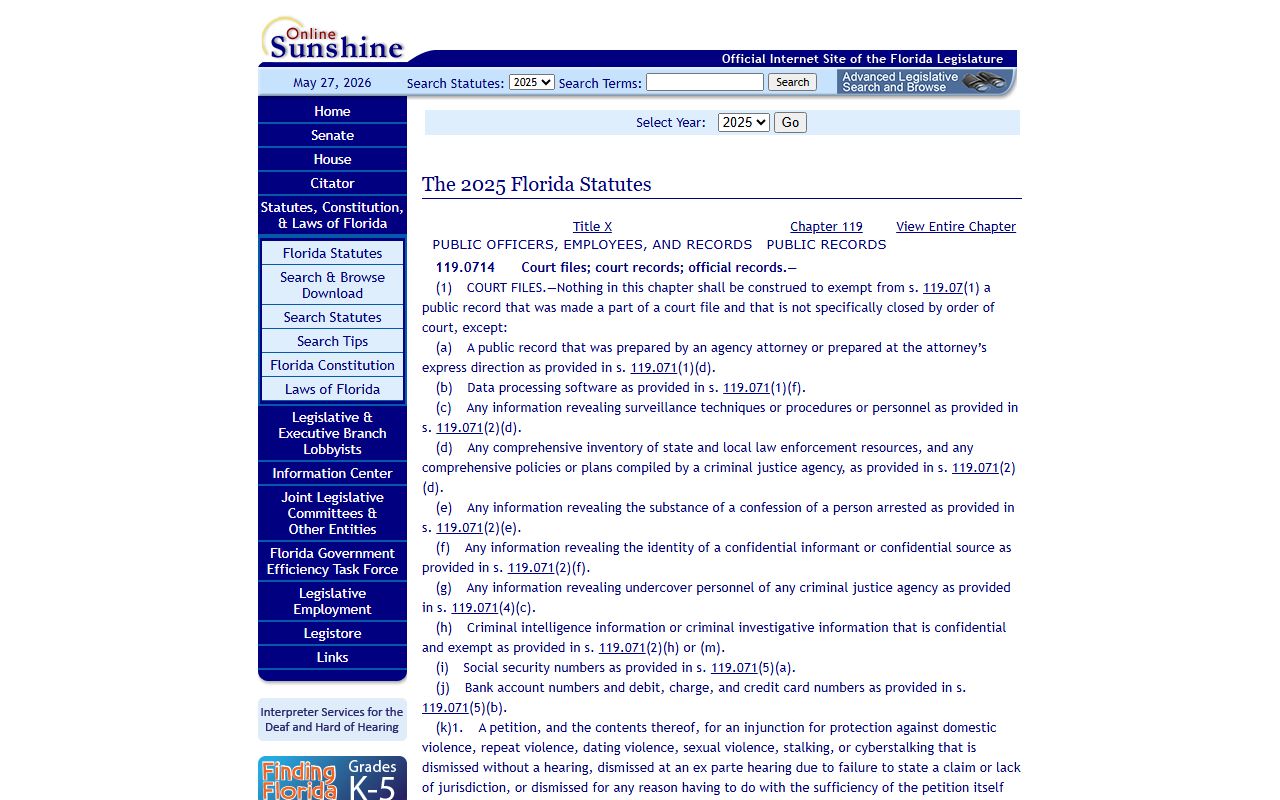
Section 119.0714 is the statute that explains why some Leon County court records are searchable while certain images stay protected online.
Note: A docket may be visible while a document image is held back for review or redaction, so a missing image does not mean the record does not exist.
Records That Are Sealed or Confidential in Leon County
Some Leon County court records are closed by law. Juvenile dependency and delinquency files are restricted. Adoption records are confidential and need a court order to view. Sealed and expunged criminal records drop out of public access once a judge signs the order. Mental health and incapacity files carry medical privacy limits. The clerk's e-certify page also excludes sealed, expunged, hidden-from-web, dependency, delinquency, guardianship, mental health, and active-process criminal cases from online certification.
To view a confidential record, you usually file a motion under the court access rule. A judge decides whether the file, or a part of it, can be released. For sealing or expunging your own record, the clerk has an adult sealing and expunction packet, and the criminal sealing or expunction fee is $66.50. The arrest records page covers the sealing and expunction process in more detail.
Documents and E-Certified Copies
The clerk's e-certify service lets you buy certified court and official documents online, at any hour. Each e-certified document carries a unique reference number and can be verified, so it works like a traditional certified copy for many uses. A plain screenshot or a downloaded image is not certified, and it may not be accepted for court, licensing, immigration, or title purposes. When you need proof, order the certified version.
Not every case can be certified online. The clerk excludes sealed, expunged, and hidden-from-web records, wills for safekeeping, adoption, active-process criminal cases, dependency, delinquency, guardianship, mental health, and civil traffic infractions. If a document you need sits on that list, request a traditional certified copy from the clerk or use the public terminals. Review the document for accuracy before you pay, because refunds are not issued once certification is finished.
In-Person Court Record Requests
You can also search and request records in person. The main courthouse is downtown, and the clerk runs a Northeast Branch for some services. Bring valid photo ID and the case number or party name. Staff can search by hand, but a $2 yearly search fee applies per year searched, and copy fees are charged per page.
Leon County Clerk of Court
301 South Monroe Street
Tallahassee, FL 32301
850-577-4000
Mon-Fri, 8:00 a.m. to 4:30 p.m.
Copy Fees for Leon County Court Records
The clerk charges set service fees under Chapter 28 of the Florida Statutes. A search fee applies per year when staff search records by hand. Copies are priced per page, and certification carries its own charge. The amounts below come from the clerk's published fee schedule, which controls and can change.
| Item | Amount |
|---|---|
| Search of records, each year searched | $2.00 |
| Plain copy, per page (up to 14 x 8.5 in.) | $1.00 |
| Oversized copy, per page | $5.00 |
| Certifying copies, per document | $2.00 |
| Exemplified certificate | $7.00 |
Pay by cash, check, or credit card at the counter. Online orders may add a small convenience fee. Keep your receipt and the case number on hand in case you need to reorder a copy later.