
What a Leon County Court Docket Shows
A docket is the official event log of a court case. Think of it as the timeline. Each line marks one thing that happened, with the date it was filed or heard. The docket does not hold the full text of every motion or order. It lists them. The full case file holds the documents themselves, while the docket points to where each one sits in the case history. In Leon County, the clerk keeps a progress docket for each circuit and county case, and the public version of that docket is what you read online.
The docket answers the basic questions fast. When was the case filed? Who are the parties? What was the last thing the judge signed? Is the case still open or closed? You see the case number, the court and division, the filing date, and the status near the top. Below that runs the list of events in date order. Some lines link to a document image when that image is public. Many do not, and that is normal.
Dockets cover both circuit and county cases. The split matters because a felony docket lives in circuit court and a misdemeanor or traffic docket lives in county court. A small claims docket sits in county civil. A probate docket sits in a circuit division. You can read the case summary on the docket to confirm which court holds the case before you dig deeper.
Progress Docket Entries in Leon County
The progress docket is the heart of the record. It is the chronological log of every filing, notice, hearing, and ruling. Florida clerks build these entries as documents come in, so an active case grows its docket week by week. A closed case keeps the full history frozen for the public to read. Each entry usually carries a date, a short event label, and sometimes the party who filed it.
Entries follow a rough order in most cases. The first line is the charging or initiating document. Then come the answers, motions, and notices. Hearings get scheduled and held. Orders follow hearings. The disposition lands near the end. After that you may still see post-judgment entries, such as a writ, a satisfaction, or an appeal notice. Reading the labels in order tells the story of the case without opening a single document.
A docket entry uses a few standard fields. The table below breaks down what each line on a Leon County progress docket is telling you, so you can scan a long event list quickly.
| Field | What It Shows |
|---|---|
| Entry Date | The date the document was filed or the event took place, listed in date order. |
| Event Type | The label for the entry, such as motion, notice, order, hearing, or disposition. |
| Party Filing | The side that filed the document, shown as plaintiff, defendant, petitioner, respondent, or the State. |
| Document Link | A link to the image when the filing is public and an image exists; blank when held back or paper only. |
Note: A docket line can show an event while its document image stays off the web for review or redaction, so a missing link does not mean the filing is gone.
Hearing Dates and Courtrooms
Many docket entries point to hearings. A hearing line tells you the court date, the time, the event type, and often the courtroom and the judge. This is how parties and the public track what is coming next in a case. First appearances, arraignments, pretrial conferences, motion hearings, and trials all show up as scheduled events on the docket.
Leon County hearings run through the circuit and county courts at the downtown courthouse. First appearances are held by county judges, and the sheriff's information lists a set first-appearance time and courtroom for jail bookings. When a hearing is reset, the docket adds a continuance entry and a new date. So the most recent hearing line is the one to trust. Older dates on the docket may have passed or been moved.
Hearing details can change with little notice. Always confirm a court date with the clerk or the assigned division before you rely on it. The docket is current as of the last clerk update, but same-day changes happen.
Case Status Terms on the Docket
The status field sits near the top of the docket and gives the case state in one word or two. Status drives how you read the rest of the entries. An open case is still moving. A disposed or closed case has reached an outcome. A sealed or expunged case drops out of public view entirely. The short glossary below defines the status terms you are most likely to see on a Leon County docket.
- Open / Pending
- The case is active and still moving through the court. New entries may keep posting.
- Disposed
- The court reached an outcome on the case or the main charge. Some post-judgment activity may follow.
- Closed
- The case file is finished. The docket history stays readable but no new events are expected.
- Reopened
- A closed case was brought back, often for post-judgment motions or enforcement.
- Sealed or Expunged
- A judge ordered the record restricted or removed from public access. The docket will not appear online.
- Hidden from Web
- The case is flagged so its docket or images do not display on the public portal, even when the case is otherwise valid.
Status and disposition are not the same thing. Status is the broad state of the case. Disposition is the specific outcome, such as a judgment or a nolle prosequi. A case can be disposed and still show further entries as fees get paid or appeals get filed.
Criminal, Civil, and Probate Docket Events
Docket terms shift with the type of case. A criminal docket reads differently from a civil docket, and a probate docket uses its own words. Knowing the common terms helps you make sense of the event labels. The table below lists docket and event terms you will run into across Leon County cases, with a plain meaning for each.
| Term | What It Means |
|---|---|
| Complaint | The first pleading that starts a civil case. |
| Information | The charging document filed by the State Attorney in a criminal case. |
| Arraignment | A hearing where the charges are read and a plea is entered. |
| Motion | A request asking the court for an order or ruling. |
| Order | A judge's written ruling on a motion or matter. |
| Disposition | The current or final outcome of the case. |
| Judgment | The final decision or enforceable order of the court. |
| Capias | A warrant-like process, often issued after a failure to appear. |
| Nolle prosequi | The prosecution dropped the charge. |
| Withhold of adjudication | The court withholds a formal conviction under Florida law, with conditions. |
Probate dockets add their own labels. You may see a petition for administration, letters issued to a personal representative, an inventory, and an order of discharge. Guardianship dockets show petitions for incapacity and orders appointing a guardian. These divisions sit in circuit court, and some files carry privacy limits even when the docket is visible.
Family dockets follow a separate path too. Divorce, paternity, and support cases run through the family division, where the docket may be public but many documents involving children or finances are held back. For booking and arrest entries that feed a criminal docket, the arrest records page covers how that data starts.
Reading Dispositions on a Leon County Docket
The disposition line is the one most people are looking for. It tells you how the case ended. In a civil case the disposition may be a final judgment, a dismissal, or a settlement entry. A dismissal with prejudice means the claim cannot be refiled. A dismissal without prejudice means it can come back. Read the exact wording, because the two look similar but mean very different things.
Criminal dispositions use a tighter set of terms. A judgment and sentence shows a conviction and the penalty. A withhold of adjudication means the court did not enter a formal conviction, subject to conditions the defendant must meet. A nolle prosequi means the State dropped the charge. Each charge in a multi-count case can carry its own disposition, so a single case may show a mix of outcomes across counts.
One caution applies to arrest and booking data. The sheriff's arrest information is separate from the final court result, and an arrest does not reflect the disposition. Always check the court docket for the outcome rather than relying on a booking entry. The financial part of a criminal docket may also list fines, costs, restitution, and any payment plan tied to the disposition.
Courts That Publish Dockets in Leon County
Leon County sits in the Second Judicial Circuit, and two trial courts produce the dockets you can search. The circuit court handles the larger and more serious matters. The county court handles the lower-level cases. Both post most case dockets to the clerk's public portal, with the limits Florida rules set for sensitive case types. The list below shows which court holds which dockets.
- Circuit Court: felony criminal, larger civil disputes, divorce and family, probate, guardianship, and juvenile matters.
- County Court: misdemeanors, county civil and small claims, evictions, and traffic court cases.
- District Court of Appeal: Leon County falls in the First District, which handles most appeals from the trial courts.
Appellate and supreme court dockets are kept by those courts, not the local clerk, so trial-level dockets are what the Leon clerk search returns. For a fuller look at the court structure and judges, the circuit court and county court pages break down each division and what it hears.
Docket vs. Full Case Record
People mix up the docket and the case file, but they are not the same. The docket is a list of events. The case record is the stack of actual documents behind those events. You can often read a full docket online for free. Pulling the documents themselves may take a fee, a certified copy order, or a trip to the courthouse. The comparison below sums up the difference.
| Docket | Full Case Record | |
|---|---|---|
| Format | List of dated entries | Full filed documents |
| Access | Often online and free | May need a fee, copy order, or visit |
| Use | Track case progress and outcome | Legal review, evidence, certified proof |
Start with the docket to find the case and its outcome. Move to the full record when you need the text of a motion or order, or a certified copy for court, licensing, or title use. A plain screenshot of a docket is not certified, and it may not be accepted as proof. For the certified-document workflow and copy fees, see the Leon County court records page and the Clerk of the Circuit Court page.
How to Search Leon County Court Dockets
Dockets are searched through the Leon County Clerk of the Circuit Court and Comptroller's court search. You can look up a case by party name or by exact case number, and most circuit and county dockets are public. Sealed, expunged, juvenile, dependency, adoption, and mental health matters are restricted and will not show online. Start with the case number when you have one, since it gives the cleanest result. The steps below walk through a standard docket search.
- Open the clerk's court search and pick search by name or search by case number.
- Choose the court type or division when the portal asks, such as circuit or county.
- Enter the exact case number, or for a name search type the last name first, then add a first name or date range.
- Open the case summary and confirm the party names, filing date, court, and status.
- Click into the progress docket to read the event entries in date order.
- Open a document image where one is public, or order an e-certified copy if the document is eligible.
The Second Judicial Circuit also publishes court and judge information that can help you find the right division. You can review the circuit's site to confirm which judges sit in Leon County and how the divisions are arranged.
The Second Judicial Circuit home page lists the court divisions, judges, and contact details for Leon County and the rest of the circuit.
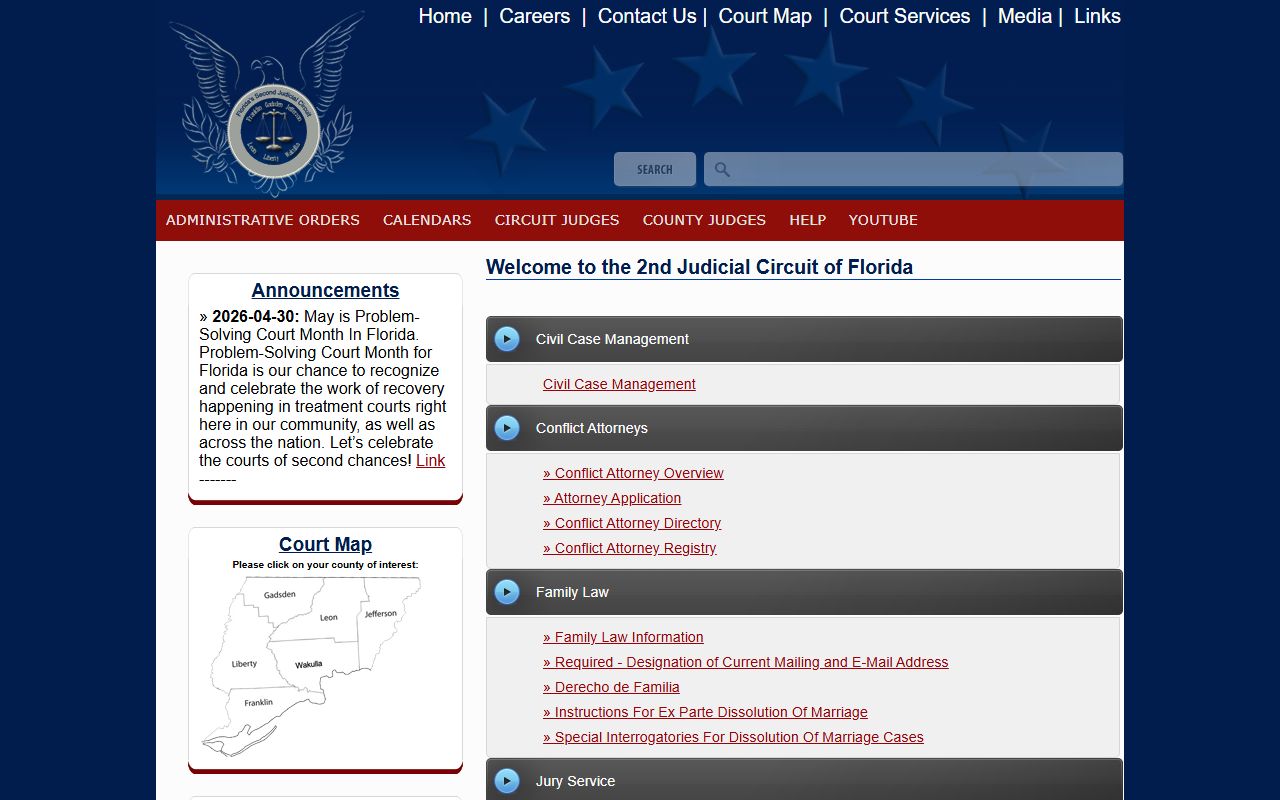
Use that circuit page to match a division to a docket, then return to the clerk's search to pull the case events. If a docket entry or image is missing from the public view, you can submit a record request or use the clerk's public terminals at the courthouse.